2011年1月28日 星期五

Firmware 3355 upgrade

After starting NAS, first thing I would like to check if any new firmware to upgrade. The latest FW up to now is version 3355.
Please check it over here.

New Features:

  1. MySql support added to the Web server.
  2. USB video class (UVC) video camera support added. -> You can connect UVC cameras to the NAS to be used as a web cam or for surveillance. UVC cameras only.

Feature updates:

  1. Android mobile is now supported in the Mobile Web UI.
  2. Updated so it will not to play movies (mp4 file) consecutively on the iPhone.
The Android UI looks simple but clear. It does not give you to many options like you have under the PC side, but as a file explorer, I think it is good enough.

There is a little complaint about FW upgrade. It took my quite a time to find out where to download the FW. And there isn't an auto FW upgrade detector function which can tells you a new version of FW is coming out. If there is such an auto update function which connect directly to the internet, it would be lot more easier.

As for the USB camera support, I've seen this function once, it is pretty cool. I like this idea quite much. I'm not that sure could this function embedded with the Android UI, if it does, that will be very interesting to monitor your house through the cell phone. I really would like to give it a try sometime.

2011年1月27日 星期四

Locating NAS under Linux

A NAS living without a router is almost useless. If NAS relies so much on a router, why not having some promotion activities with the router together.

Anyway, soon I found that locating the NAS address under Linux could be super easy. Under my OpenSUSE 11.3, open the file manager and explore Network Devices, soon I will found N1T1 without any help from any software, and no need to login into the router setting page to setup N1T1. Click the N1T1 icon - LG NAS N1T1 , there will be a weblink inside and guide you to the NAS setting webpage. Setting NAS under Linux is very easy.

Locating NAS IP address

The first thing to setup NAS after all the network environment were all well prepared, should be locating NAS. It shouldn't be hard to control it under the router page, but I decided to test the NAS detector software for Windows first.

The first window you see after inserting the software disc, four options appears in front of you
including NAS Detector, NAS monitor, Nero BackItUp&Burn and LG NAS Installaion Wizard. I clicked the NAS Detector, and soon I have the detector software installed. Automatically, the detector program launched after installation and found my NAS IP very easily. It is only a two step process and I get to learn my NAS IP. No need to login into my router setting. I am amazed of this friendly setup process. Having this IP address, I am able to manage NAS by accessing the IP using a normal web browser.

Still, unfriendly to non-Windows user is still a problem. There is no similar way as a Windows version NAS detector software, I have to find out which IP address was occupied by any unknown MAC address, and guess this should be the correct NAS IP. Soon I found that the NAS MAC address is actually printed on the barcode at the back of the machine. This should be a very easy process, I wonder why it isn't being pointed out in the quick user manual.

PROS: Simple and quick IP locating software under Windows.
CONS: Not friendly enough to non-MS users.

2011年1月25日 星期二

First impression - LG N1T1 NAS


N1T1 gives people a first impression that it is a compact size NAS with an ODD inside. The one I have is mainly white at the both side of the case, and black in the middle part. Size is around 6.5x15x21cm.
You can mount N1T1 on a pedestal to make it stands as well. As usual, the ID design of LG looks simple but elegant. I'm not sure how often I will use the optical disc drive of N1T1, but I'm very glad to see it comes with a slot in type. However, it will be weird to see a such kind of elegant device has tongue.

The full packing includes: N1T1 main set, pedestal, PC software installer disc, multimedia user guide disc, a installation manual with multi languages, power supply, LAN cable, USB cable.

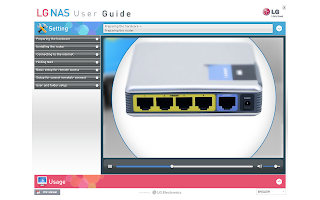
I haven't really finishing reading the manual yet, but I believe the colorful manual with a step by step installation guide will certainly be very helpful for the beginner. You can find another detail setup manual in one of the discs. I do feel a little disappointed that the setup manual is basically for Windows users. There are not much description of how to setup NAS from a Linux machine or MAC. But still, the manual still teaches how to connect to NAS from Windows, MAC and Linux. There is something which really impress me is the CD manual creates a very unique UI embedded with flash which makes you being able to choose the difficult parts and learn them from the flash animation.

Indeed, end users who are interested in these kind of products always get scared about a bunch of internet concepts. Google does not really make it easier, sometimes even worse. LG really does spend a lot of efforts to make this product to become user friendly, or at least, manual friendly. Next step will be the network setup.

PROS: Nice looking design, great setup manual.
CONS: Not enough details for non-Windows setup process.